Structure Entry: Optimised Data
Handling for Precast & Concrete
The Structure Entry module simplifies, validates, and automates precast structure data management with seamless ERP integration.
It supports import, manual entry, editing, tracking, and deletion for efficient production workflow management.
i. Automated
Data Management
- Data Import & Export for bulk processing
- Structure validation before processing
- Auto job & lot creation in ERP
- Real-time status updates
ii. Manual Structure
Management
- Add or delete structures with validation
- Supports dimension & weight input
- Prevents incorrect or duplicate entries
- Seamless integration with existing data
iii. Table
Reset & Cleanup
- Clear entire structure dataset instantly
- Confirmation-based deletion system
- Fresh start for new projects
Structure Tracker: Real-Time Monitoring & Workflow Control
Structure Tracker provides real-time visibility of production status, tracking, editing, and analytics for precast workflows.
i. Quick Search
& Navigation
- Live structure status tracking
- Revert processed/unsubmitted jobs
- ERP synced updates
- One-click Excel download
- Formatted structured data export
- Instant confirmation download
- Edit structure attributes directly
- Validate changes before saving
- Instant update confirmation
-
iv. Filtering
& Table Control
- Filter by status, project ID, type
- Page size control (25/50/100)
- Sorting & dataset customisation
- Next / Previous structure navigation
- Row highlight & focus tracking
- Fast browsing across records
- Bar & Pie chart generation
- Toggle chart view ON/OFF
- Interactive data insights
AAC Planner: Optimised Mould Arrangement & Performance Metrics
The AAC Planner module automates mould arrangement, reduces waste, and improves production efficiency through smart planning and validation.
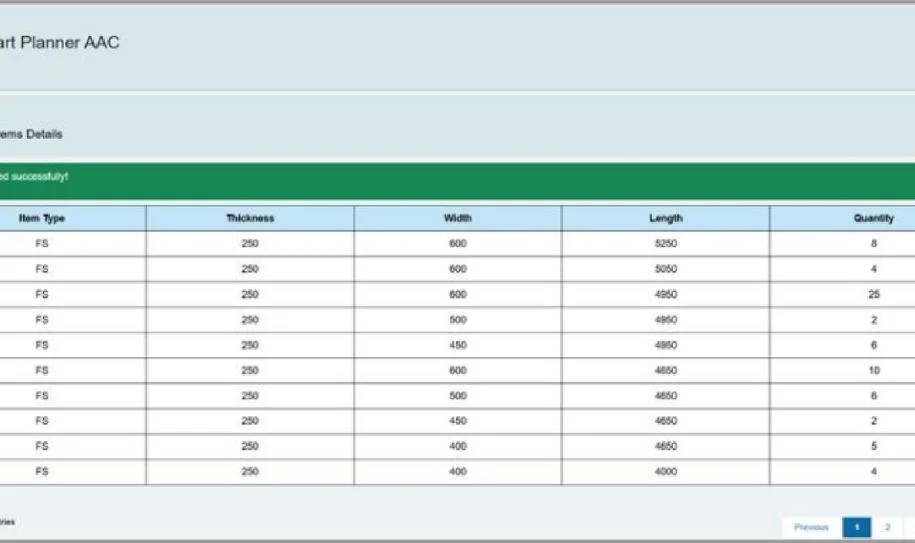
i. Automated Excel Data Import & Validation
& Validation
Bulk upload AAC structure data with validation checks.
- Standardised Excel import for all formats
- Error detection for invalid or missing data
- Live upload progress tracking
ii. Mould Selection
& Display
Select moulds for accurate production planning.
- Dropdown mould selection
- Automatic layout updates
- Displays mould dimensions and volume
iii. Optimised
Mould Arrangement
AI optimises mould placement for maximum efficiency.
- AI-based space optimisation
- Waste reduction system
- Graphical layout preview
iv. Mould
Visualisation & Editing
Users can visually adjust mould layouts.
- Interactive editing tools
- Hover tooltips for details
- Real-time updates
Analyse efficiency and production performance.
- KPI tracking dashboard
- Charts and analytics
- Optimisation insights
- Bar & Pie chart generation
- Toggle chart view ON/OFF
- Interactive data insights
Smart Planner for Precast & Concrete Production
Smart Planner enables real-time scheduling, ERP sync, and resource optimisation with drag-and-drop functionality. It prevents conflicts, ensures smooth workflows, and provides data-driven insights for efficiency.
i. Drag-and-Drop
Scheduling
Assign operations to resources and timelines visually, making scheduling intuitive and flexible.
Updates Epicor ERP instantly with changes across systems.
Optimises resource allocation and prevents conflicts.
iv. Smart Conflict
Resolution
Alerts scheduling overlaps for proactive fixes.
Generate CSV reports for analysis and decision-making.
GoQ: Quality Control & Compliance
The GoQ module streamlines inspections, ensures compliance, and improves defect tracking with real-time reporting.
i. Log Quality
Observations
Record defects, deviations, and non-conformance efficiently with structured logging and tracking system.
ii. Attach
Supporting Documents
Upload images, inspection reports, and proof documents to strengthen compliance records.
Ensure all production activities follow industry standards, safety rules, and quality benchmarks.
GoTrack: Mobile Logistics & Tracking for Precast & Concrete
GoTrack is a mobile application designed to streamline logistics, tracking, and stock management in precast & concrete operations. With real-time updates and ERP integration, it improves efficiency and visibility.
i. Home Page
& User Dashboard
- Personalised dashboard with user name, role, and profile details
- Quick access to core features from main home screen
- Role-based menu for relevant feature navigation
ii. Structure
Status Viewer
- Search structures using ID, barcode, or keywords
- Real-time tracking from estimation to installation
- Status monitoring: Entered, Casted, In Transit, Deployed
- Color-coded indicators for quick workflow visibility
iii. Structure
Off-Loading
- Create loads with project, truck, date, and destination details
- QR scanning to automatically fetch structure data
- Verify off-loaded items in real time
- Match deliveries and flag discrepancies instantly
- Edit truck and driver details for active loads
- Add or remove structures from existing loads
- Update consumables and load information
- Ensure data consistency across project updates
v. GPS
Tracking (Upcoming Feature)
- Live GPS tracking for real-time shipment visibility
- Monitor delivery movement on interactive map
- Improve coordination between site and dispatch teams
- Enhance logistics planning and control
GoSync: Seamless CAD & ERP Integration for Precast & Concrete Industries
GoSync enables real-time bidirectional data flow between AutoCAD, Revit, and Epicor ERP, improving collaboration and workflow efficiency.
i. Comprehensive
Data Display
- Automatically extracts structure data (ID, status, dimensions, weight, etc.)
- Displays structured tabular format for projects and drawings
ii. Intuitive
Data Editing
- Direct editing of structure fields inside cells
- Bulk update support for rows and columns
iii. Real-Time
Epicor Integration
- Bi-directional sync between AutoCAD, Revit, and ERP
- Selective synchronisation for models or projects
iv. Visual Feedback
& Collaboration
- Color-coded labels inside AutoCAD layouts
- Improves visibility and team coordination
Hollow Core Module: Streamlined Data Entry & Visualisation
The Hollow Core module enables efficient data import, visualisation, and management with Excel integration and 3D modelling capabilities.
i. Bulk Data Import
& Validation
Users can upload Excel files to quickly import large datasets, ensuring data accuracy and consistency. The system validates the file format before creating hollow core records.
- Excel File Upload: Import structured data for hollow core structures.
- Automatic Validation: Detects format errors and missing data.
- Feedback System: Highlights successful and failed records.
ii. 2D & 3D
Panel Visualisation
Users can visualise hollow core panels in both 2D and 3D formats for better understanding of structure layouts.
- 2D & 3D Modelling: Displays detailed panel layouts.
- Enhanced Visualisation: Enables zoom and rotation for inspection.
- Interactive Interface: Offers real-time updates for design adjustments.





 Optimized by Seraphinite Accelerator